



In the rapidly advancing digital landscape, businesses must continuously evolve to remain competitive. As technology progresses, the limitations of legacy systems become increasingly apparent. One significant step towards achieving this is through cloud migration for legacy systems. It involves moving data, applications, and business processes from outdated IT environments to modern, cloud-based infrastructures. This transition not only revitalizes IT operations but also positions businesses to harness the full potential of cutting-edge technologies.
This blog delves into the reasons why legacy systems are becoming obsolete, the advantages of migrating to the cloud, and how you can ensure a successful migration process.
Let’s explore the various aspects of this transformative journey.
Why Are Legacy Systems Becoming Obsolete?
Legacy systems, while functional, often fall short of meeting the dynamic needs of modern businesses. These systems can be cumbersome, expensive to maintain, and prone to security vulnerabilities. Here’s why they are becoming obsolete:
Lack of Flexibility
Legacy systems are rigid and challenging to modify, making it difficult to adapt to new business requirements or integrate with modern technologies. This rigidity hampers innovation and responsiveness to market changes.
High Maintenance Costs
Maintaining legacy systems is costly, requiring specialized skills and frequent repairs. The expenses associated with hardware, software licenses, and expert personnel can strain budgets and divert funds from strategic initiatives.
Scalability Issues
Legacy systems struggle to handle increasing workloads, limiting business growth. As businesses expand, the inability to scale operations efficiently can result in performance bottlenecks and diminished customer satisfaction.
Security Vulnerabilities
Older systems are more susceptible to cyber-attacks and often lack robust security features. Without the latest security patches and updates, legacy systems can become easy targets for cybercriminals.
Inefficient Processes
Manual processes associated with legacy systems are time-consuming and error prone. Automation opportunities are limited, leading to decreased operational efficiency and increased risk of human error.
Benefits of Cloud Migration for Legacy Systems
Migrating legacy systems to the cloud can significantly enhance your business operations. Here are some key benefits:
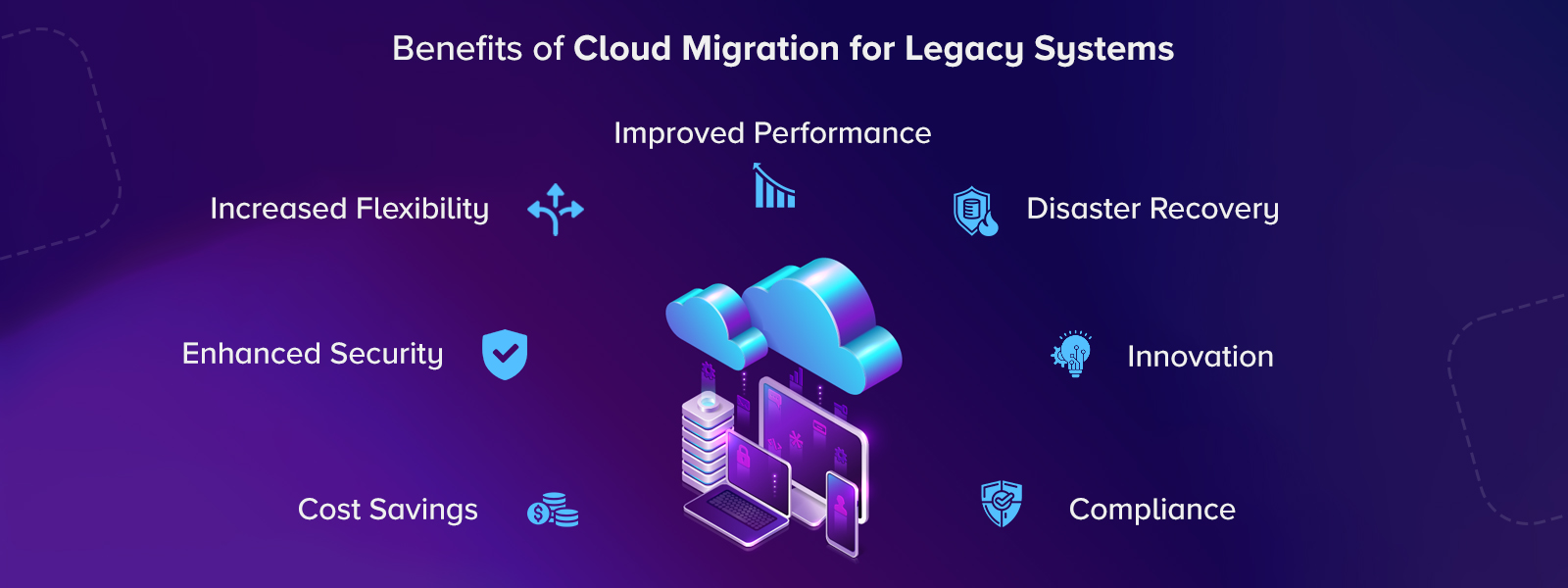
 Cost Savings
Reduces IT maintenance and operational costs by eliminating the need for expensive hardware and reducing energy consumption. Cloud providers offer pay-as-you-go models, allowing businesses to optimize their IT spending.
 Enhanced Security
Access to advanced security features and regular updates to protect against emerging threats. Cloud providers invest heavily in security measures, including encryption, firewalls, and intrusion detection systems, ensuring robust protection for your data during legacy system migration.
 Increased Flexibility
Choosing cloud migration for legacy systems enables remote access and supports a variety of devices, fostering a more agile work environment. Employees can access applications and data from anywhere, promoting collaboration and productivity.
 Improved Performance
Cloud platforms offer superior performance, reducing latency and improving application responsiveness. High availability and reliability ensure that your services remain operational with minimal downtime.
 Disaster Recovery
Cloud providers offer robust disaster recovery solutions, ensuring business continuity in case of an outage or disaster. Automated backups and recovery processes minimize data loss and reduce recovery time.
 Innovation
Leverage the latest technologies such as AI, ML, and big data analytics to drive innovation and gain a competitive edge. Migration from legacy systems to cloud platforms provides access to cutting-edge tools and services that enhance business capabilities.
 Compliance
Cloud providers ensure compliance with industry standards and regulations, simplifying the process of adhering to legal requirements. Regular audits and certifications demonstrate adherence to stringent security and privacy standards.
Key Areas Improved by Cloud Migration for Legacy Systems
Legacy systems cloud migration can enhance various aspects of your business. Key areas of improvement include:
Operational Efficiency
Automates and streamlines processes, reducing manual intervention and improving efficiency. Workflow automation and process optimization eliminate bottlenecks and enhance productivity.
Collaboration
Considering cloud migration for legacy systems can facilitate better collaboration among teams through cloud-based tools and platforms. Real-time communication and document sharing improve coordination and teamwork across dispersed locations.
Data Management
Enhances data storage, accessibility, and management capabilities, enabling better data-driven decision-making. Centralized data repositories and advanced analytics tools provide actionable insights for informed business strategies.
Also Read: Cloud Migration Strategy: Driving Your Business Growth
Customer Experience
Improves the speed and reliability of services, enhancing customer satisfaction. Faster response times and personalized services lead to higher customer retention and loyalty.
IT Agility
Allows for quicker deployment of applications and services, enabling faster response to market changes. Leveraging AI development services to support agile development and continuous integration/continuous deployment (CI/CD) practices accelerate innovation cycles.
Resource Utilization
Optimizes resource usage, reducing waste and improving overall IT management. Dynamic resource allocation ensures that computing power and storage are used efficiently, lowering operational costs.
Explore How Cloud Migration Can Improve Various Aspects of Your Business!
Request A Quote
Industry Trends Showcasing the Future of Cloud Migration
The future of cloud migration for legacy systems is shaped by several key trends:
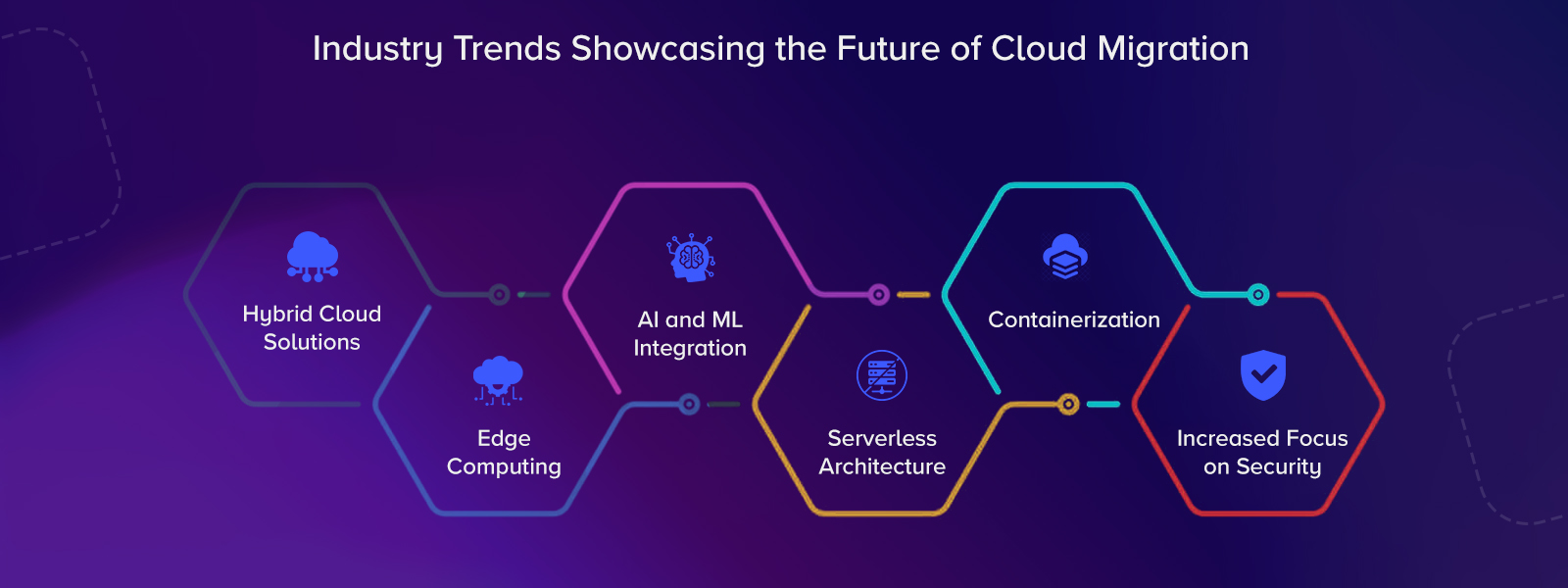
 Hybrid Cloud Solutions
 Edge Computing
Enhancing cloud capabilities by processing data closer to the source, reducing latency. It enables real-time data processing and analytics, supporting applications that require immediate responses.
 AI and ML Integration
Using AI and ML to automate cloud management and optimize performance. These technologies can predict resource needs, detect anomalies, and improve security, making cloud environments more intelligent and efficient.
 Serverless Architecture
Allowing businesses to run applications without managing the underlying infrastructure, enhancing scalability and reducing costs. Serverless computing abstracts server management, enabling developers to focus on building and deploying code.
 Containerization
Using containers to ensure consistent application performance across different cloud environments. Containers package applications and their dependencies, providing portability and simplifying deployment across various platforms.
 Increased Focus on Security
Enhanced security measures to protect against sophisticated cyber threats. Advanced threat detection, identity management, and encryption techniques safeguard data and applications in the cloud.
Read More: Discover how a cloud staffing agency streamlines talent acquisition and enhances workforce flexibility in the digital era.
Case Study: Successful Cloud Migration
Trademark Engine
Problem:
Trademark Engine, a company in the legal industry, identified a need for affordable and accessible trademark filing services. They developed a platform to help entrepreneurs manage their intellectual property. However, their existing system, built with Laravel and PHP, was outdated and unable to meet market demands.
The platform offered limited services and relied on manual data entry, leading to inefficiencies and potential errors. Additionally, the system struggled to support a growing user base and lacked features like trademark renewal and Automated Business Signatory (ABS) services.
Solution:
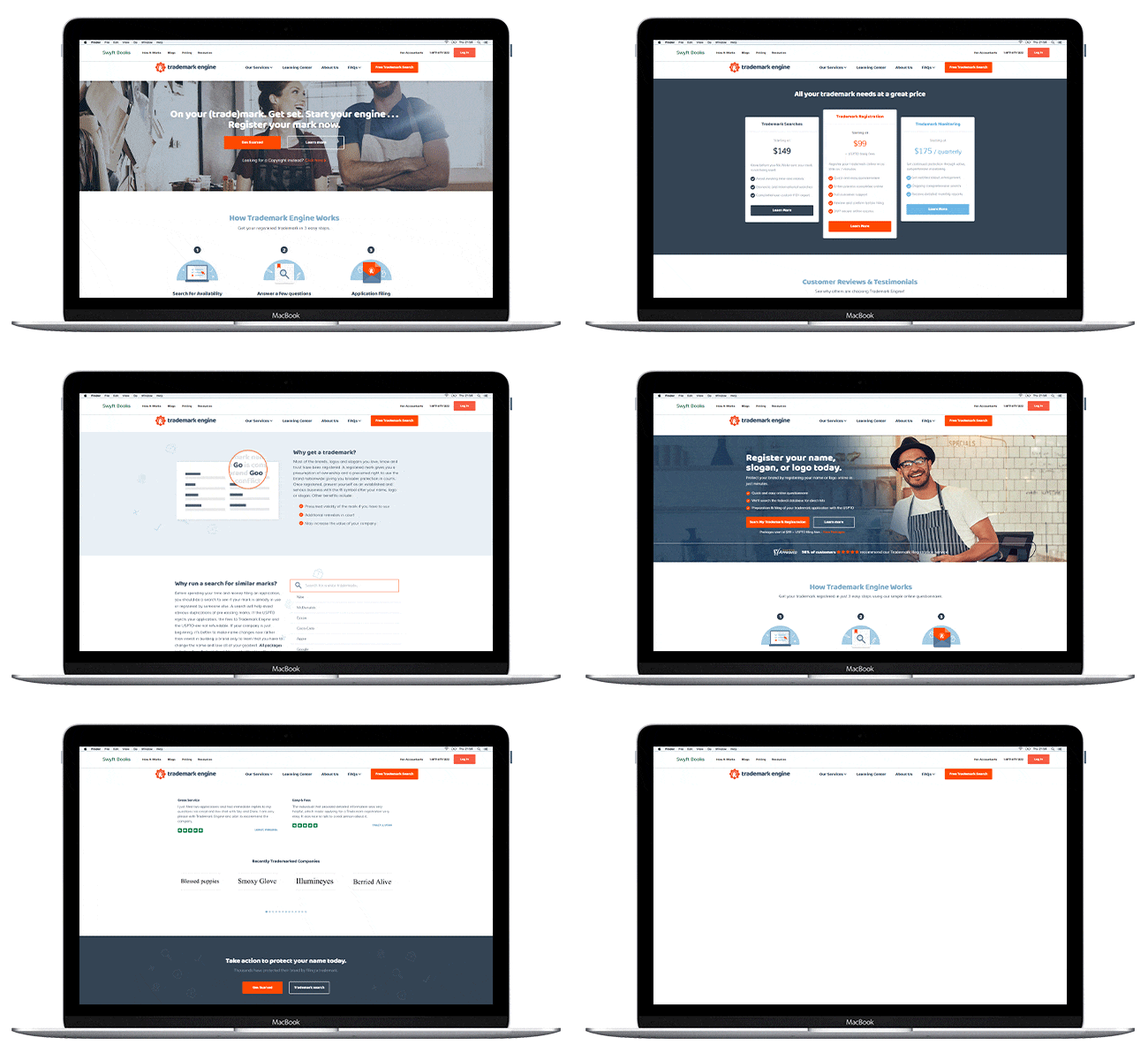 Matellio partnered with Trademark Engine to modernize their platform. By leveraging Laravel APIs for the backend and Angular for the front end, our team enhanced the system’s technical capabilities. The upgraded platform now offers a comprehensive suite of services, including trademark and copyright registration, renewals, and ABS solutions.
To eliminate manual processes, we developed a Google Chrome extension that automates every phase of the trademark filing and renewal process. Additionally, Matellio’s cloud integration services ensured seamless data migration and system interoperability, enhancing overall platform performance.
Outcome:
The collaboration with Matellio transformed Trademark Engine’s operations. Trademark filing, which previously took 2-3 days, can now be completed in minutes with the custom Chrome extension. The client now offers a broader range of services, improving customer satisfaction and expanding their market reach. Automation has eliminated human errors and ensured data accuracy, further enhancing the platform’s reliability and efficiency.
Unleash the Full Potential of Your Business By migrating it from Legacy System to Cloud!
Contact Us Now
Steps for Legacy System Cloud Migration
A structured approach is vital for a successful migration from legacy systems to cloud. Here are the key steps:
Assessment and Planning
- Identify Objectives: Define clear goals for the migration, such as improved performance, cost reduction, or enhanced security. Establishing specific, measurable objectives helps guide the migration process and assess its success.
- Evaluate Current Systems: Assess the current IT environment, identifying critical applications, data, and infrastructure components for migration. You can consider leveraging digital transformation services from Matellio to gain deeper insights and ensure a comprehensive evaluation. This assessment will reveal the complexities and dependencies within your existing systems.
- Stakeholder Involvement: Engage all relevant stakeholders to gather input and support, ensuring alignment with business goals. Involving key personnel from different departments ensures that their demands and concerns are addressed, fostering a collaborative approach.
Choosing the Right Approach
- Big Bang Migration: Migrate all components at once for a quick transition, though this carries higher risk. This approach is suitable for smaller, less complex systems where the entire migration can be completed in a short timeframe with minimal disruption.
- Phased Migration: Migration from legacy systems to cloud should be done in stages to manage risk and ensure stability. This method allows for gradual implementation, with each phase being tested and validated before moving on to the next, reducing the risk of major disruptions and allowing for adjustments based on feedback.
- Parallel Running: Run old and new systems simultaneously to ensure stability and address any issues before the full transition. This approach provides a safety net, allowing users to revert to the old system if any issues arise during the transition, ensuring business continuity.
Data Migration
- Data Mapping: Identify and map data elements from the old system to the new cloud environment. This step ensures that all necessary data is accurately transferred and that there are no gaps or inconsistencies.
- Data Cleansing: Cleanse data to remove inaccuracies and redundancies. Ensuring that the data being migrated is accurate and up to date prevents issues in the new system and enhances data quality. This may involve deduplication, validation, and enrichment processes.
- Testing: Conduct thorough testing to ensure data integrity and completeness. Rigorous testing, including data verification and validation, is essential to ensure that the migrated data is accurate and that all business processes function correctly in the new environment.
Application Migration
- Rehosting: Move applications to the cloud without altering code (lift and shift). This is the simplest form of application migration and is often used to quickly transition applications to the cloud while maintaining their current functionality.
- Re-platforming: Make minimal changes to applications to leverage cloud infrastructure. This approach involves optimizing applications for the cloud environment, such as modifying configurations or updating dependencies, to improve performance and scalability.
- Refactoring: Rewrite parts of the application to fully optimize it for the cloud environment. This is the most comprehensive approach, involving significant changes to the application architecture. It takes full advantage of cloud-native features and services, resulting in improved performance, scalability, and maintainability.
Post-Migration Activities
- Monitoring and Support: Continuously monitor the new system and provide support to address any issues. Ongoing monitoring helps identify and resolve any issues that arise, ensuring the system remains stable and performs well. Matellio offers extensive support, including performance monitoring, error tracking, and user feedback.
- Training: Ensure staff are trained in the new systems to maximize productivity and minimize disruption. Comprehensive training programs provided by Matellio help employees understand and effectively use the new system, reducing resistance to change and enhancing overall efficiency.
- Evaluation: Regularly evaluate system performance and make necessary adjustments to ensure it meets business needs. Continuous evaluation and optimization ensure that the cloud environment remains aligned with business objectives and adapts to evolving requirements. This includes performance tuning, capacity planning, and incorporating user feedback to maintain optimal operation.
Wish to Plan and Execute a Successful Migration from Legacy Systems to Cloud?
Fill The Form Now!
How Can Matellio Help with Cloud Migration for Legacy Systems?
Matellio offers comprehensive services for cloud migration for legacy systems. Here’s how we can assist you:
- Our team provides strategic insights and customized solutions tailored to your specific needs. We work closely with you to understand your goals and develop a migration strategy that aligns with your objectives.
- Our expertise ensures that the migration process is smooth and effective, minimizing disruptions and maximizing benefits.
- We leverage cutting-edge technologies, including AI, ML, and cloud-native tools, to optimize your migration process. Our technology consulting services ensure seamless integration with your existing systems, enabling you to take full advantage of the cloud’s capabilities.
- Our rigorous implementation process includes thorough testing and ongoing maintenance to ensure a smooth transition with minimal disruption. We prioritize performance, reliability, and security throughout the migration process.
- We offer extensive support throughout the migration journey, ensuring optimal performance and continuous improvement. Our experts are available to assist you at every step, ensuring your cloud environment operates smoothly and effectively.
Contact us today by filling out the form to learn more about how our migration from legacy systems to cloud services can help you achieve your business goals.
FAQs
[sp_easyaccordion id=”51413″]