




In the dynamic landscape of product development and manufacturing, efficiently managing the Bill of Materials (BOM) is a cornerstone for success. Assembling the right components, tracking changes, and ensuring seamless team collaboration are integral to a streamlined production process. This is where BOM Management Software steps in as a game-changer.
In this blog, we delve into BOM software development, exploring its significance, key BOM management software features, and the transformative impact it can have on the entire product lifecycle. Whether you’re a start-up aiming for efficiency or a business leader focused on optimizing costs, understanding the ins and outs of BOM management software development is crucial. Join us on this exploration as we unravel the layers of this indispensable digital transformation service that indeed empowers businesses to navigate the complexities of modern manufacturing with ease and precision.
The Benefits of BOM Management Software
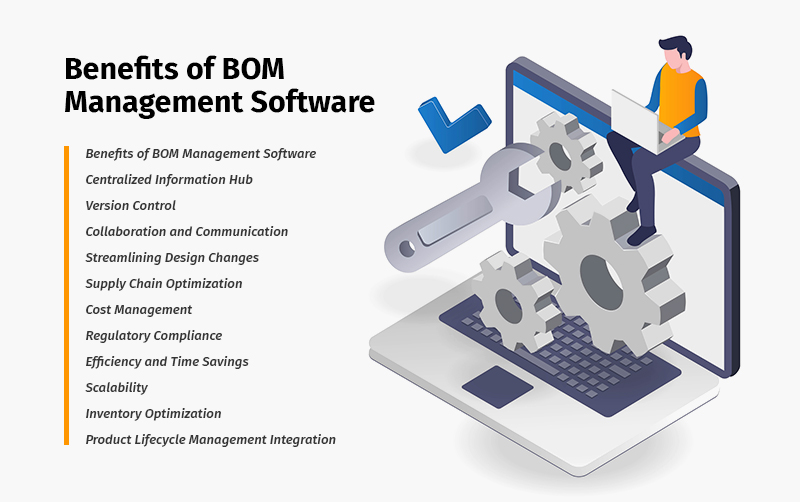 BOM management software is crucial in efficiently handling, creating, modifying, and tracking product components and materials within a manufacturing or product development process. Here’s a breakdown of its key roles:
Centralized Information Hub
The BOM management system is a centralized repository for all relevant data related to a product’s structure. It consolidates information about raw materials, sub-assemblies, and final products, ensuring everyone involved can access accurate and up-to-date details.
Version Control
It enables BOM version control, allowing teams to track changes over time. This ensures that all stakeholders work with the latest and approved version of the product structure, preventing errors arising from outdated information.
Collaboration and Communication
Facilitates collaboration among different departments involved in enterprise software development, such as design, engineering, procurement, and manufacturing. Real-time access to the BOM management process ensures fostering effective communication and coordination.
Streamlining Design Changes
When design modifications occur, bills of materials BOM management software helps streamline the process of updating the BOM accordingly. This ensures that any alterations in the product design are reflected accurately, minimizing the risk of errors during production.
Supply Chain Optimization
By providing visibility into the components and materials required for production, BOM manager software aids in optimizing the supply chain. It helps maintain optimal inventory levels, reduce lead times, and avoid production delays due to shortages or excess inventory.
Cost Management
This allows for effective cost management by providing insights into the costs associated with each component in the BOM software development. This is crucial for budgeting, pricing decisions, and overall financial planning.
Regulatory Compliance
It helps in adhering to regulatory standards and compliance requirements by ensuring that the materials used in the product meet specified regulations. This is particularly important in industries with stringent quality and safety standards.
Efficiency and Time Savings
Streamlining the BOM management process leads to increased efficiency and significant time savings. Automating tasks such as BOM creation, updates, and notifications reduces the likelihood of manual errors and accelerates the overall product development cycle.
Scalability
Adaptable to the evolving needs of a business as it grows. Manufacturing bill of materials software can scale with the complexity of products, accommodating changes in design, components, and production volumes.
Inventory Optimization
Enables better inventory management by providing real-time insights into component availability. This prevents overstocking or stockouts, optimizing inventory levels and reducing carrying costs.
Read More: Discover how retail inventory optimization solutions can streamline operations, reduce costs, and enhance your supply chain efficiency in the modern retail landscape.
Product Lifecycle Management (PLM) Integration
Integrates with PLM systems to provide a holistic view of the entire product lifecycle. This integration ensures that BOM manager software data is seamlessly transferred between the design and manufacturing phases.
Bills of management BOM management software is pivotal in enhancing collaboration, reducing errors, ensuring compliance, and optimizing the entire product development lifecycle, ultimately contributing to more efficient and cost-effective manufacturing processes.

BOM Management Software Key Features to Look For
BOM (Bill of Materials) management software typically includes several key features to streamline creating, organizing, and maintaining product information. Some key features that you need to consider during custom manufacturing software development for BOM are:
 Part Database
 A centralized database storing information about each component or part used in manufacturing. This includes details such as part numbers, descriptions, and specifications.
 Version Control
 Enables tracking and managing different versions of the bill of materials, ensuring users can access the latest and accurate information about product structures.
 Collaboration Tools
 Facilitates collaboration among team members, allowing them to collaborate on BOM creation and updates. This may include comments, notifications, and revision history.
 Multi-level BOM Support
 Capable of handling complex product structures with multiple levels of subassemblies, components, and raw materials.
 Revision Tracking
 Keeps track of changes made to the bill of materials over time, helping in auditing and ensuring compliance with quality standards.
 Integration with CAD Systems
 Integration with Computer-Aided Design (CAD) software to seamlessly incorporate design data into the BOM management software feature, reducing errors and ensuring consistency.
 Costing and Pricing Tools
 Allows users to associate costs with each component, helping calculate overall production costs and determining product pricing.
 Supplier Collaboration
 Facilitates communication and data exchange with suppliers, helping to manage the procurement process and ensuring a smooth supply chain.
 Workflow Automation
 Streamlines the approval and review processes by automating workflows, reducing manual errors, and ensuring that changes go through the appropriate channels.
 Search and Filter Capabilities
 Enables users to quickly find and filter components or assemblies based on specific criteria, improving efficiency in navigating large BOMs.
 Export and Reporting
 Provides tools for exporting BOM data in various formats and generating reports for analysis, planning, and decision-making.
 Security and Access Control
 Implements robust security measures to control access to sensitive BOM information, ensuring that only authorized personnel can make modifications.
These features collectively contribute to efficient inventory management software with bills of materials, helping organizations improve accuracy, reduce lead times, and enhance overall product development and manufacturing processes.
Core Bills of Materials Software Development
The development process of Bill of Materials (BOM) management software typically involves several key stages:
 Requirement Analysis and Planning
Identify and understand the specific needs and requirements of the users. Determine the features and functionalities required for effective BOM management. Create a project plan outlining tasks, timelines, and resource allocation. Define the scope of the bills of materials BOM management software and set development milestones.
 Design and Development:
 Develop a system architecture that accommodates BOM data structure and relationships. Design the user interface (UI) for easy navigation and data input. Design a robust database schema to store and organize BOM data efficiently. Establish relationships between different data entities, ensuring data integrity.
Develop the BOM management software following the design and database specifications. Implement features like version control, revision tracking, and user access management.
 Choose the Right Tech stack
 The tech stack for enterprise software development may include:
[table id=122 /]
 Testing and Deployment
Conduct testing to identify and fix bugs. Hire dedicated developers to test the software’s functionality against different BOM scenarios to ensure accuracy.
Deploy the BOM management system in a controlled environment. Monitor its performance and address any problems that arise during the initial rollout.
 Training and Documentation
 Provide training sessions for users on how to use the BOM management software effectively. Create documentation, including user guides and FAQs, to support users.
 Integration and Maintenance
 Integrate the BOM management software with other relevant systems, such as ERP, cloud integration services or PLM systems. Ensure seamless data flow between different parts of the organization.
Regularly update the software to add new features or improve existing ones. Address user feedback and continuously improve the BOM management software based on evolving needs.
Throughout the development process, collaboration between developers, project managers, and end-users is crucial to ensure that the bills of materials BOM management software meets the organization’s specific requirements and enhances overall efficiency in managing product structures and assemblies.

Conclusion
The Bills of Materials BOM management software empowers manufacturers to navigate complex product structures easily by developing a centralized platform for BOM creation, version control, and collaboration. Reducing errors, improving collaboration, and bringing real-time visibility into the production process increase productivity and cost-effectiveness.
BOM management software is not just about organizing data; it’s about orchestrating success. It enables manufacturers to orchestrate their production processes harmoniously, ensuring precision, scalability, and, ultimately, the delivery of high-quality products. As we move forward, the journey of BOM management software continues to be exciting, promising ongoing improvements and advancements that will shape the future of manufacturing.
[sp_easyaccordion id=”43990″]
Beta feature
Beta feature